Software licence · Field Service
ServiceMan
Technician orders, dispatch and field service
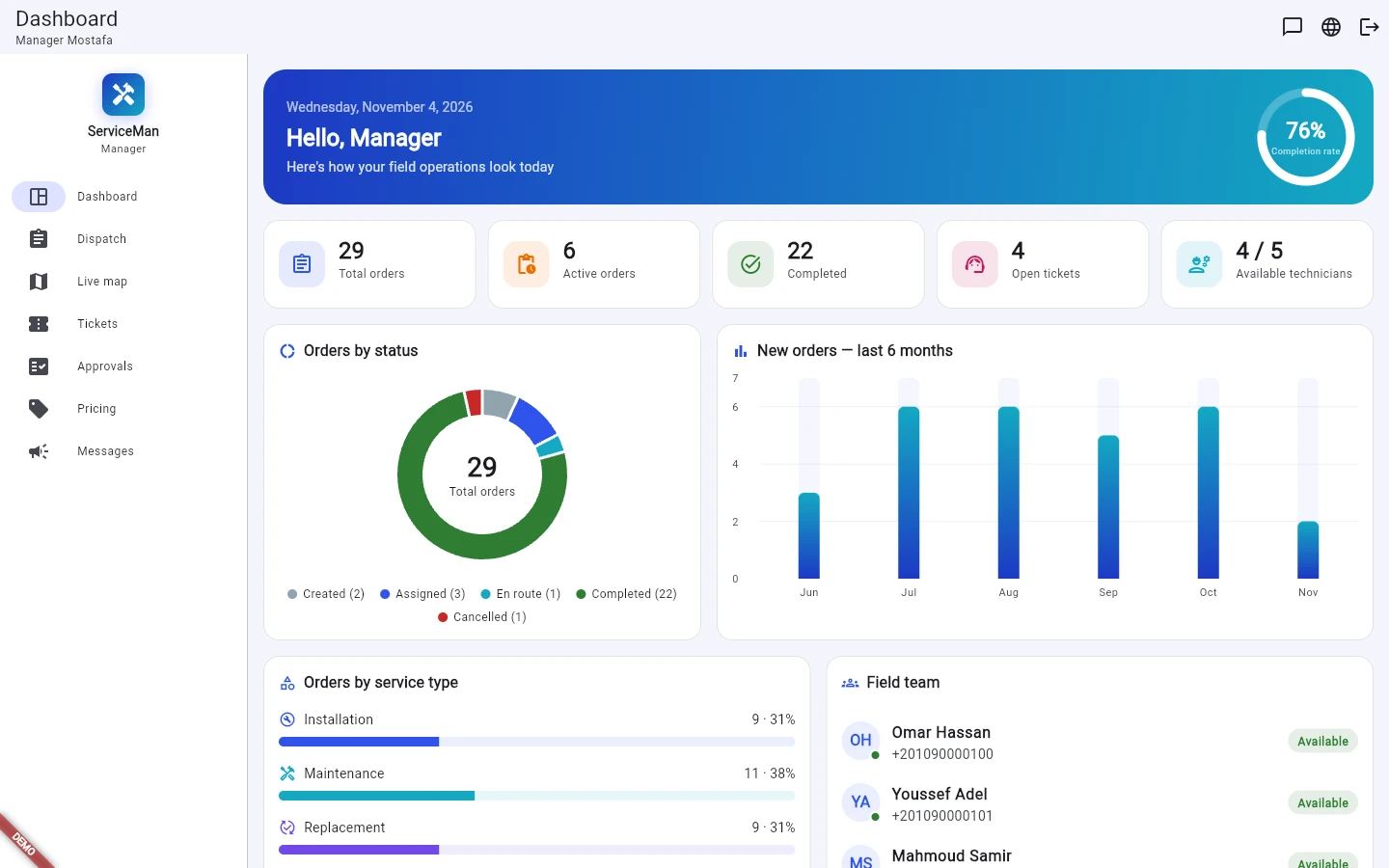
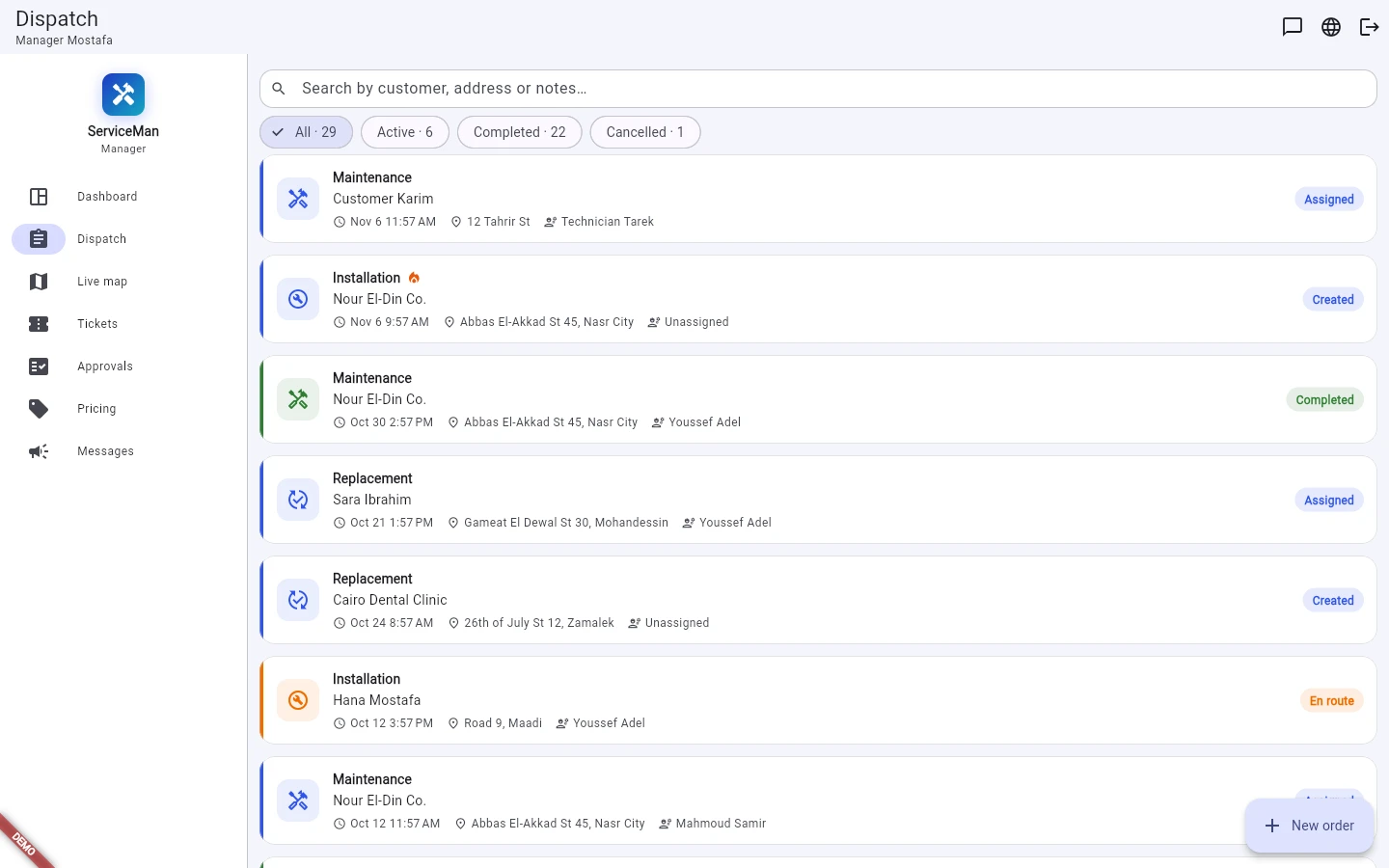
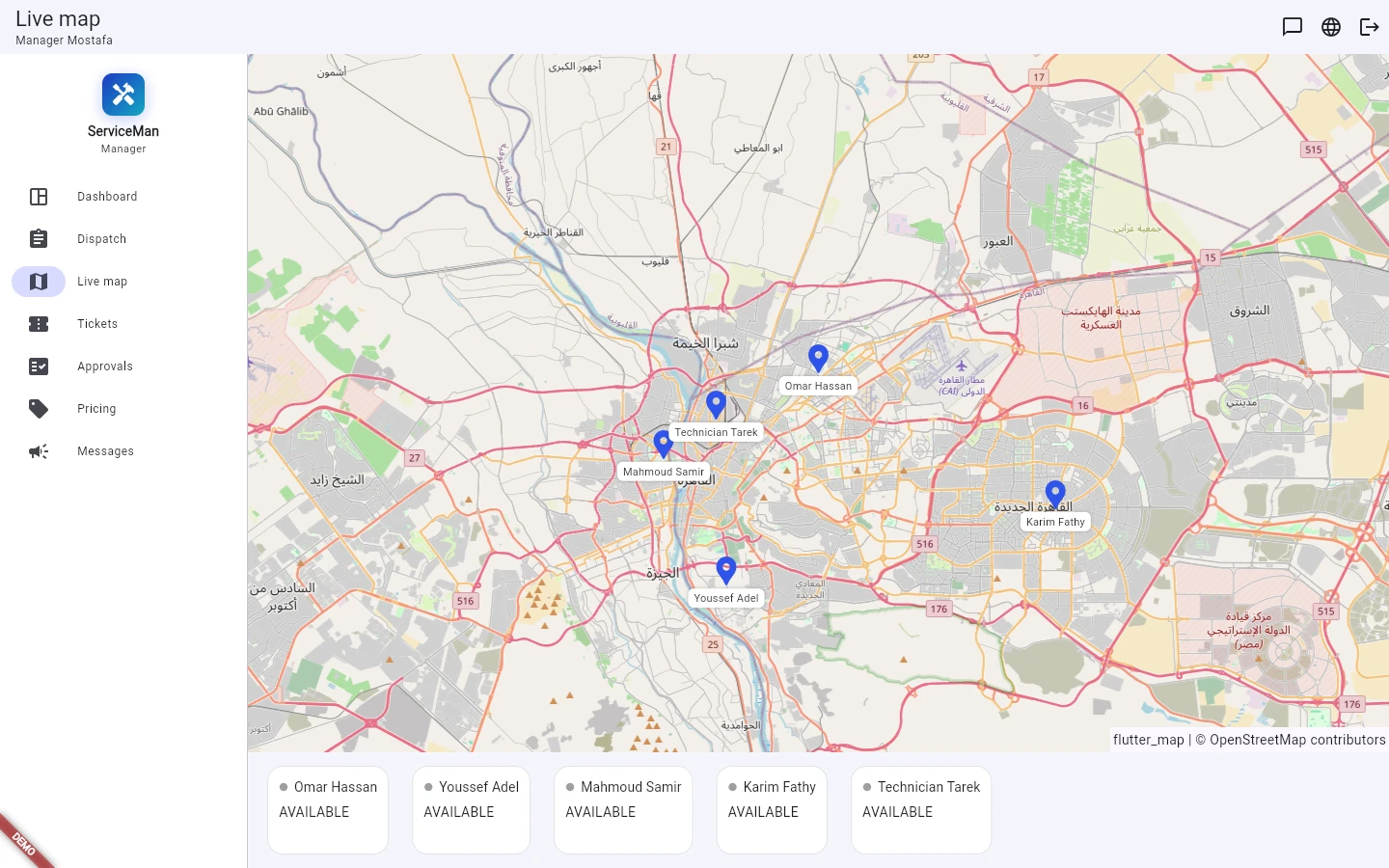
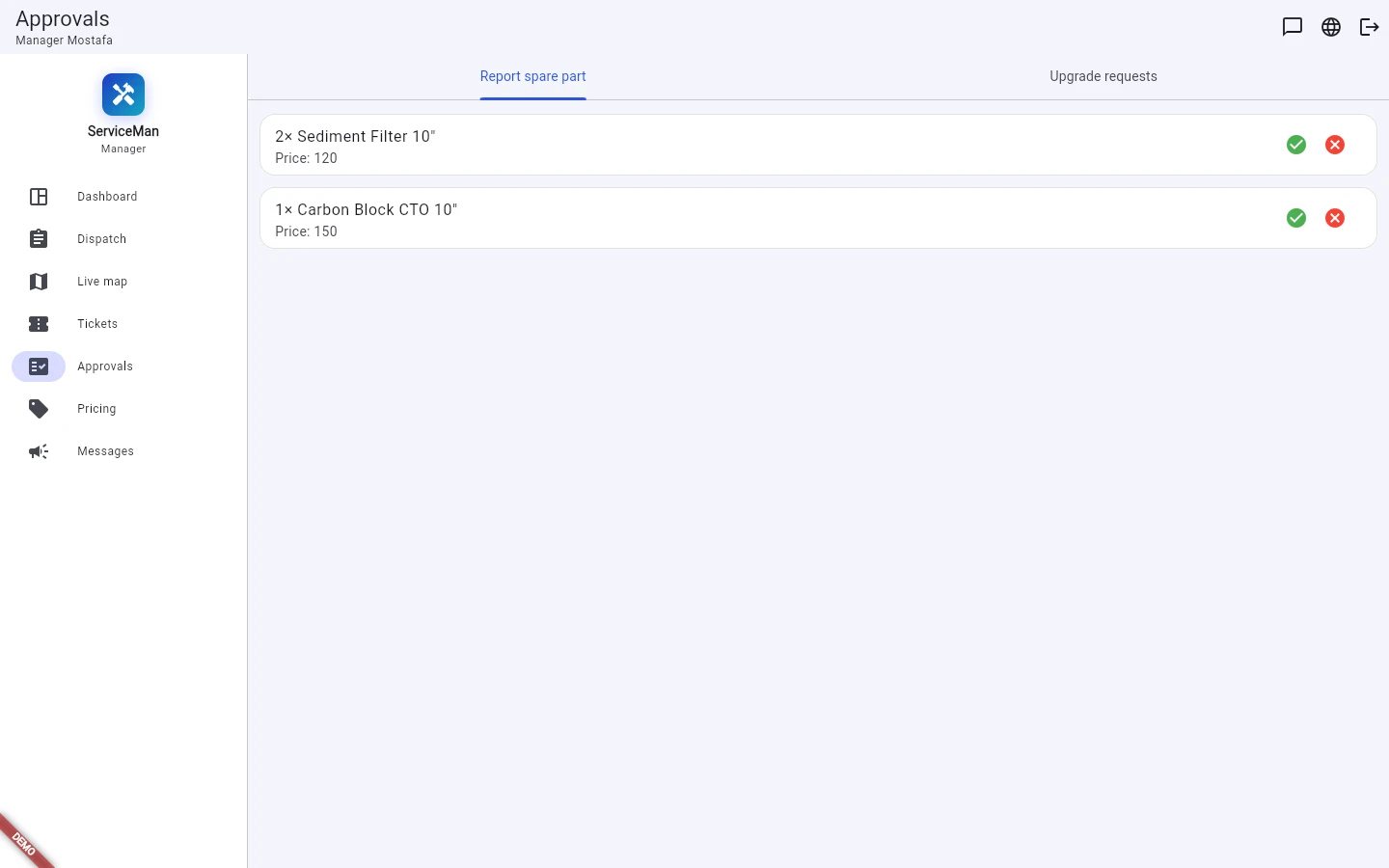
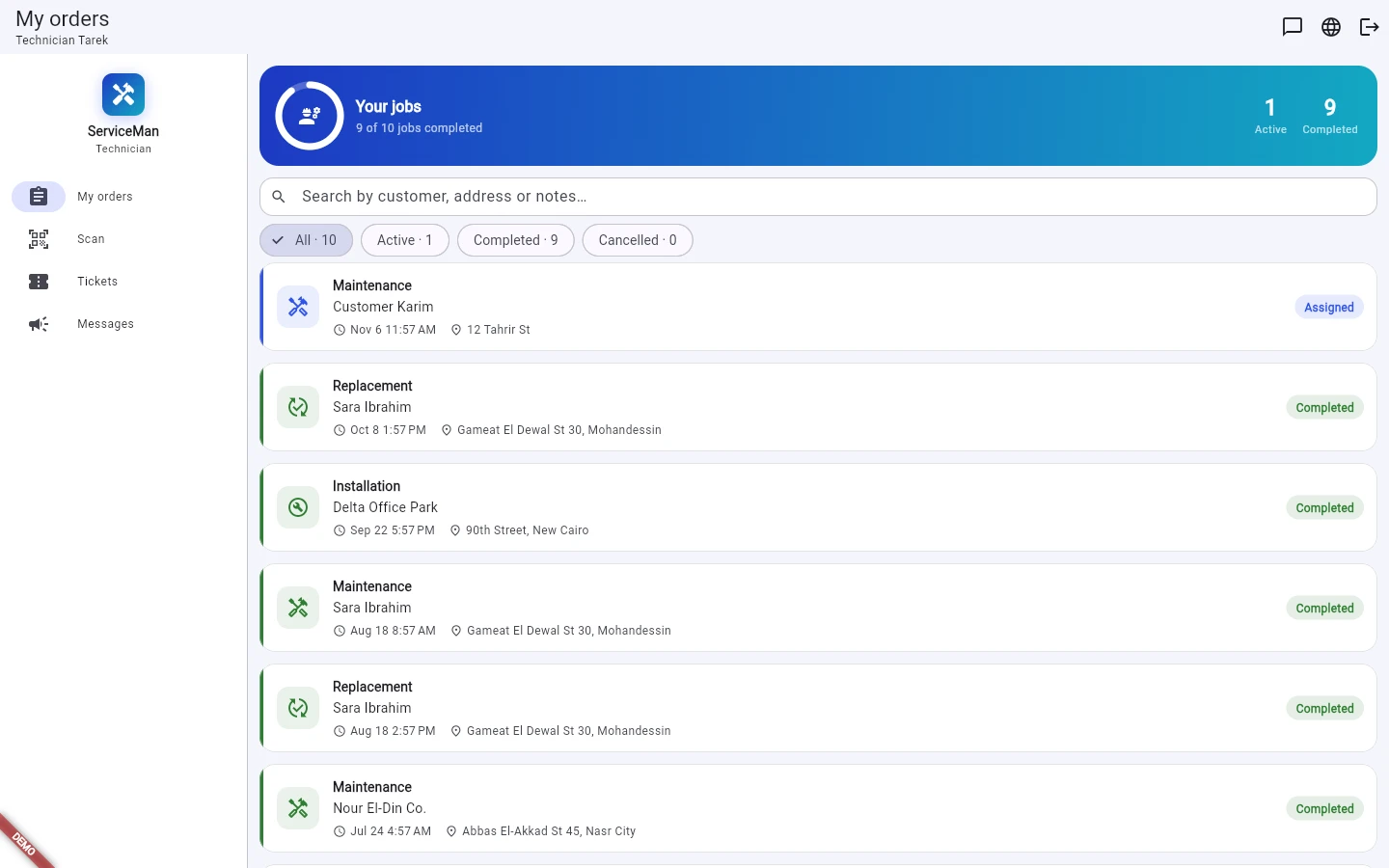
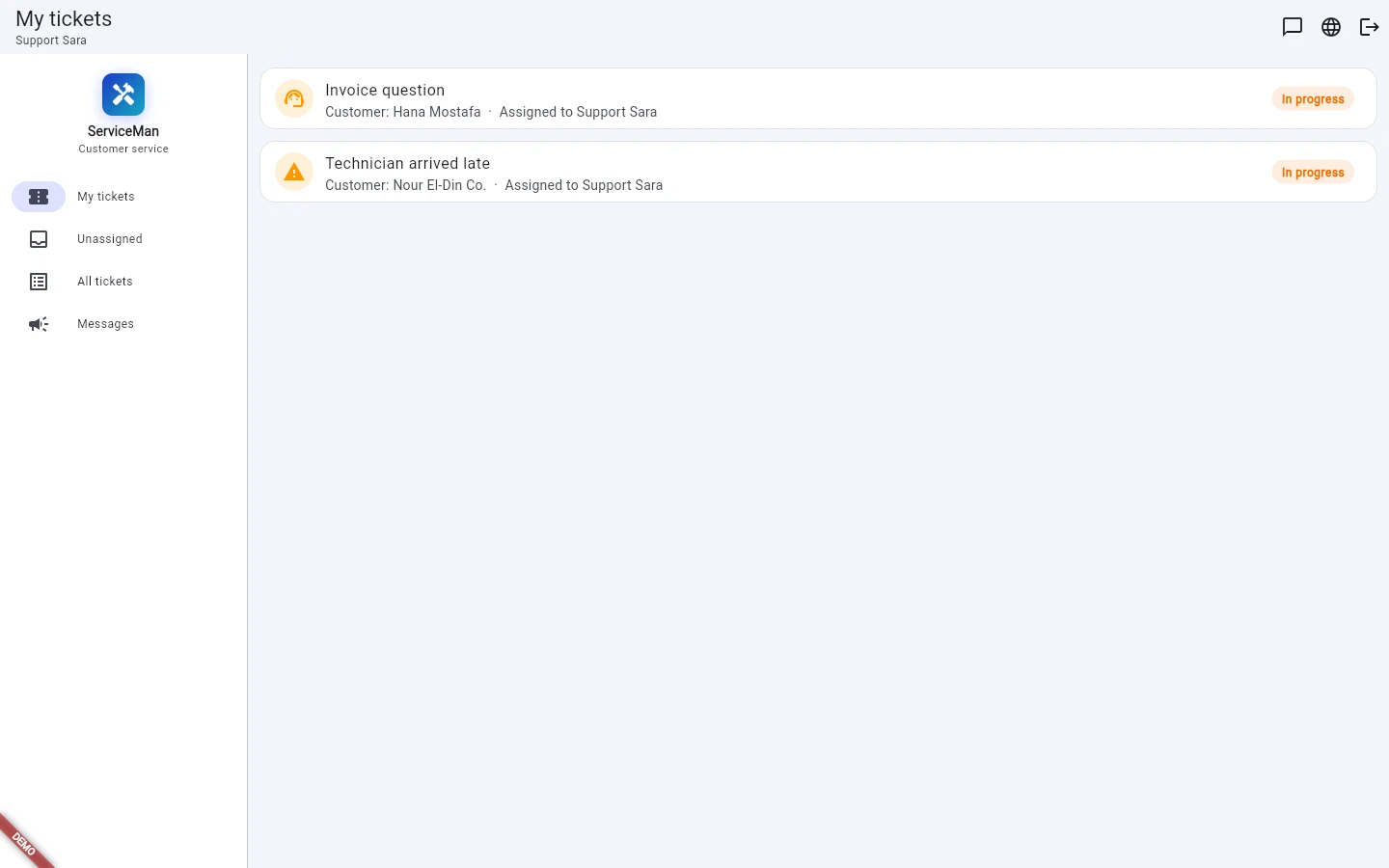
Run a field-service company from one self-hosted system: orders, dispatch, live map of technicians, spare-part approvals, invoices, maintenance schedules and support tickets, with a web portal and an Android app.
ServiceMan runs a field-service business: technician orders, dispatch, a live map of the team, spare parts, invoices, maintenance schedules and customer support, in one system with a web portal and an Android app. This is the self-hosted licence: you install it on your own server.
It suits any company that sends technicians to customers – installation, maintenance and repair of water filters, air conditioning, appliances, security systems or office equipment. Arabic and English throughout, with right-to-left layout. Try it first: the Field Service page has a live demo, a sample service company in Cairo with one-tap sign-in for every role.
- Four portalsManager, technician, customer service and customer, each seeing only what their role needs.
- Live mapTechnicians' positions on the map and the route each one drove to a job.
- Priced from your listInvoices take installation, maintenance, replacement and visit prices from your price list, with manual override.
- Support built inCustomer tickets with an assignment queue, replies and status, alongside chat and broadcasts.
- Your serverDocker with PostgreSQL; your customer data stays on your own machine.
What it covers
From the customer's request to the paid invoice.
Orders and dispatch
- Installation, maintenance and replacement orders with priority, schedule, address and notes.
- Each order moves from created and assigned to en route, in progress and completed, or is cancelled with a reason.
- Dispatch list with search by customer, address or notes and filters for active, completed and cancelled.
- Dashboard with order counts, status and service-type breakdowns, a six-month trend, the completion rate and who is available.
Technicians
- The technician's own job list, with check-in and check-out at the customer's site.
- Scan a unit's barcode or QR code to find it and log the parts used.
- Spare parts reported from the job wait for a manager's approval before stock is taken.
- Location sharing on the job, shown on the manager's live map.
Customers
- Customers see their units, upcoming maintenance visits and their own invoices.
- They can reschedule a visit, request a new one, ask for an upgrade or open a support ticket.
- Push notifications when an order is assigned, on the way or finished.
Control
- Roles for admin, manager, technician, customer service and customer, with extra permissions per manager.
- Every request is checked on the server: users only reach their own orders, tickets, invoices and schedules.
- Price list, spare-part catalogue, upgrade offers and messages to all users or one role.
Licence, delivery and requirements
What you get, and what your server needs.
- Licence – a one-time fee per server, for as many technicians, staff and customers as that server runs.
- Delivery – once your payment is confirmed we email the licence with the installation package and step-by-step instructions.
- Includes – the API server, the web portal and the Android app, built with your server's address.
- Server – Linux with Docker and Docker Compose; PostgreSQL runs in its own container. A domain and HTTPS certificate are recommended.
- Not included – push notifications and Google sign-in use your own Firebase and Google accounts; map tiles come from OpenStreetMap.
See it working first
The live demo on the Field Service page signs you in as a manager, technician, customer-service agent or customer with one tap. It is a separate copy with sample data, reset every night, so change anything you like.
Details
- Product type
- Self-hosted server software with a web portal and an Android app
- Deployment
- Docker and Docker Compose on Linux; PostgreSQL in its own container
- Licence
- One-time fee per server
- Delivery
- Licence, installation package and instructions by email once payment is confirmed
- Billing
- Invoices from your price list with visit fee and manual override
- Languages
- Arabic and English, right-to-left layout
- Portals
- Manager, technician, customer service and customer
- Orders
- Installation, maintenance and replacement; created, assigned, en route, in progress, completed or cancelled
- Field team
- Live map of technicians, route per job, site check-in and check-out, barcode and QR scanning
- Support
- Tickets with assignment queue, chat, broadcasts and push notifications
- SKU
- SVM