Software licence · VoIP & Telephony
NVR Attendance
Face-recognition attendance from the cameras you already have
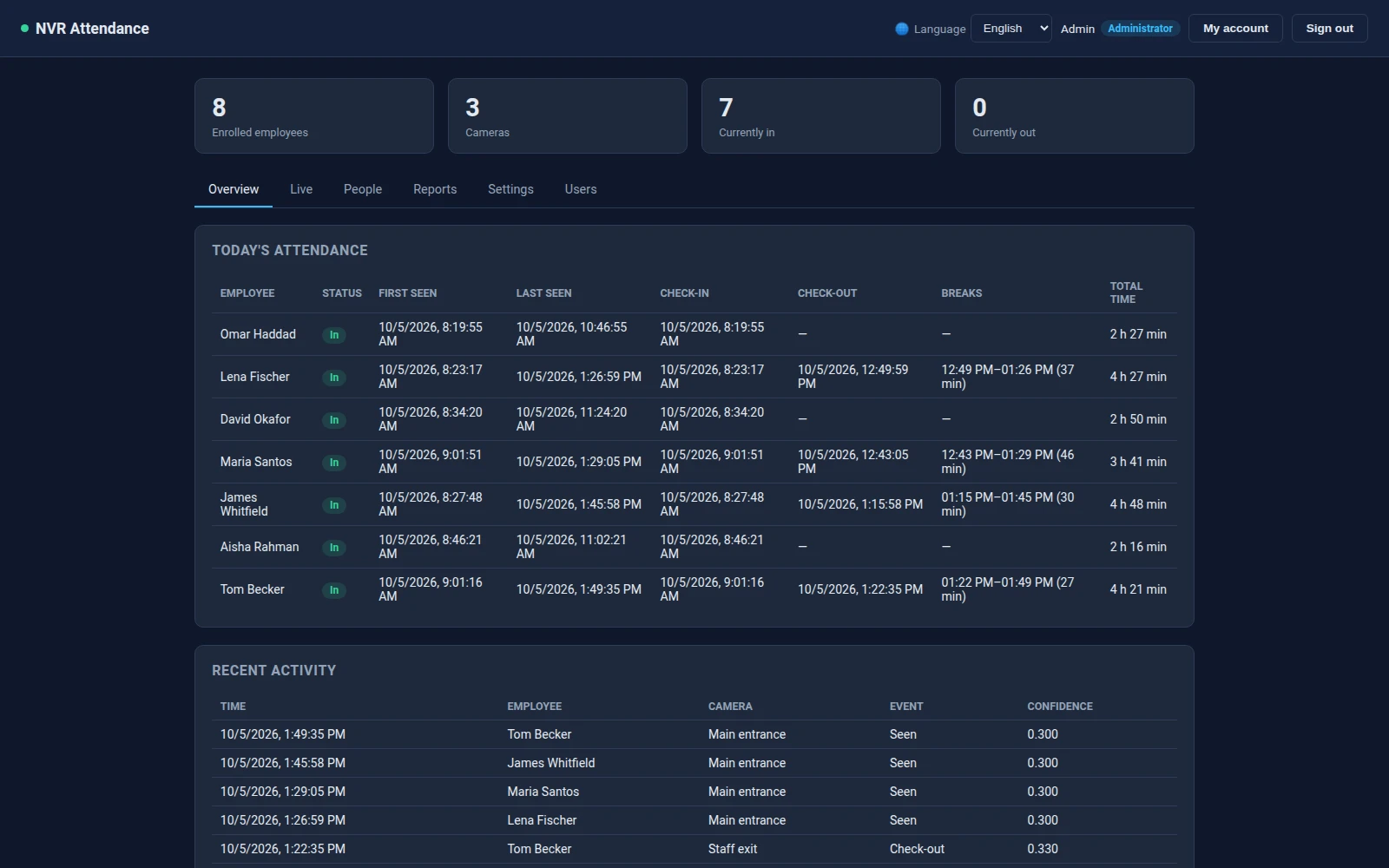
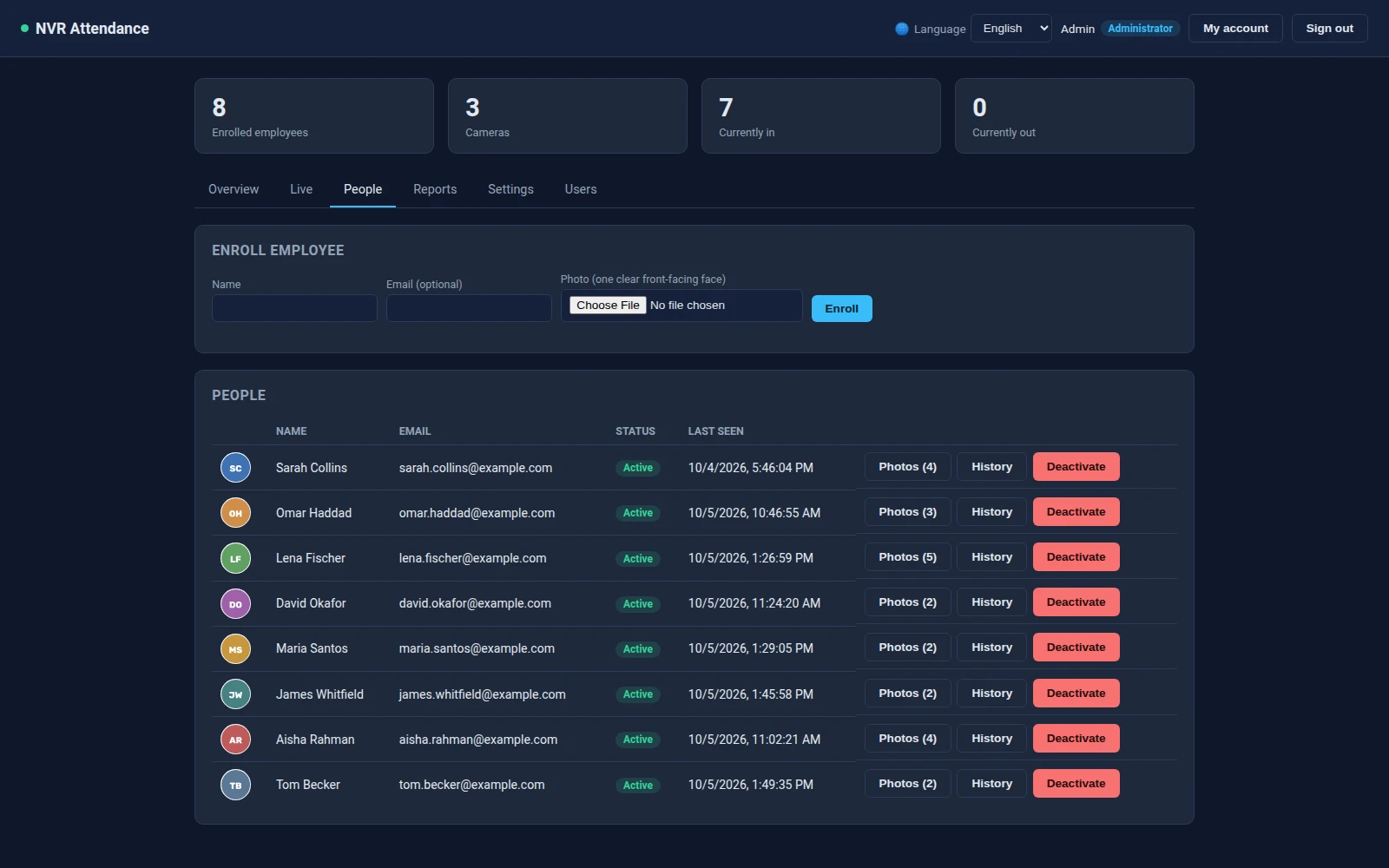
Self-hosted attendance from your existing NVR and IP cameras: face recognition, check-in and check-out, breaks, worked time and photo evidence, with a FreePBX module.
NVR Attendance takes staff attendance from the IP cameras and NVR you already have. It recognises enrolled people by their faces in the live streams, records when they arrive and leave, works out their breaks and time on site, and keeps a camera photo of every check-in and check-out as evidence.
It is a self-hosted server app with its own web dashboard, so the video and the faces stay on your network. An optional FreePBX module brings the same dashboard into the FreePBX admin panel.
- The cameras you already ownRTSP and RTSPS streams, ONVIF discovery, a network scan for cameras, and channel import straight from a Dahua NVR. No special hardware.
- Recognition that refuses to guessA face is named only when it is big enough, facing the camera, clearly closer to one person than to anyone else, and seen more than once.
- Attendance, breaks and time on siteCheck-in and check-out per day, breaks taken and returned from, and total time worked, with reports you can export to CSV.
- Photo evidence, and a way to correct itEvery check-in and check-out keeps the camera frame. A wrong one can be marked invalid, and that face is never named as that person again.
- Runs on modest hardwareFast face detection on the CPU, a slower scan when nothing moves, an optional one-core limit and a heat guard, so it can share a box with a PBX.
Attendance
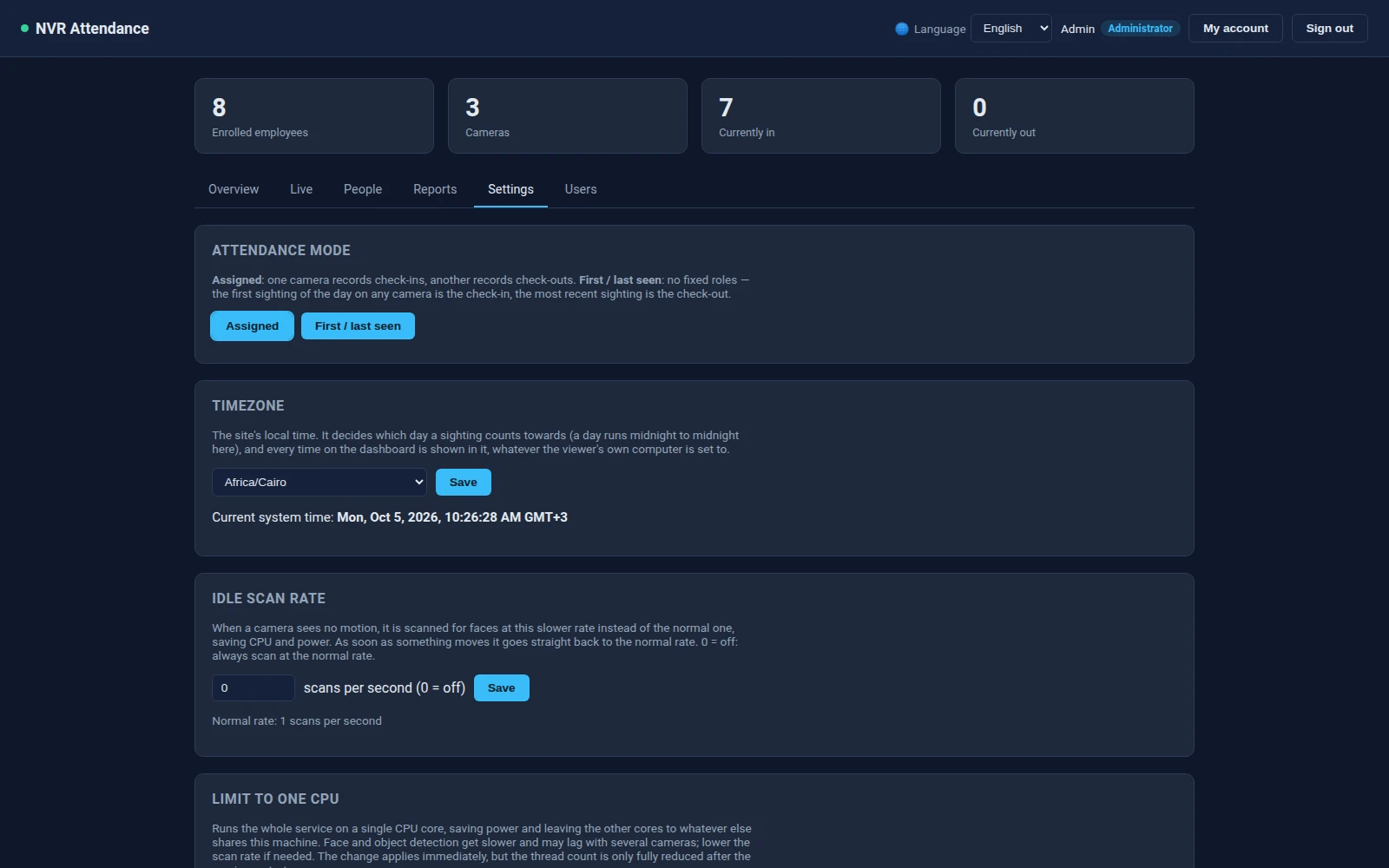
Two ways to count, switchable at any time without restarting anything.
Check-in and check-out cameras
- Give one camera the check-in role and another the check-out role. The first sighting at the entrance is the check-in; the last pass of the exit camera is the check-out.
- Going out through the exit and coming back in through the entrance is recorded as a break, and taken off the time worked.
First and last sighting
- No fixed roles: across all cameras, the first sighting of the day is the check-in and the latest is the check-out, updated as the person is seen again.
- Any gap between two sightings longer than the break threshold (10 minutes by default) counts as a break.
Reports
- Today: who is in, who has left, with check-in, check-out, breaks and time so far.
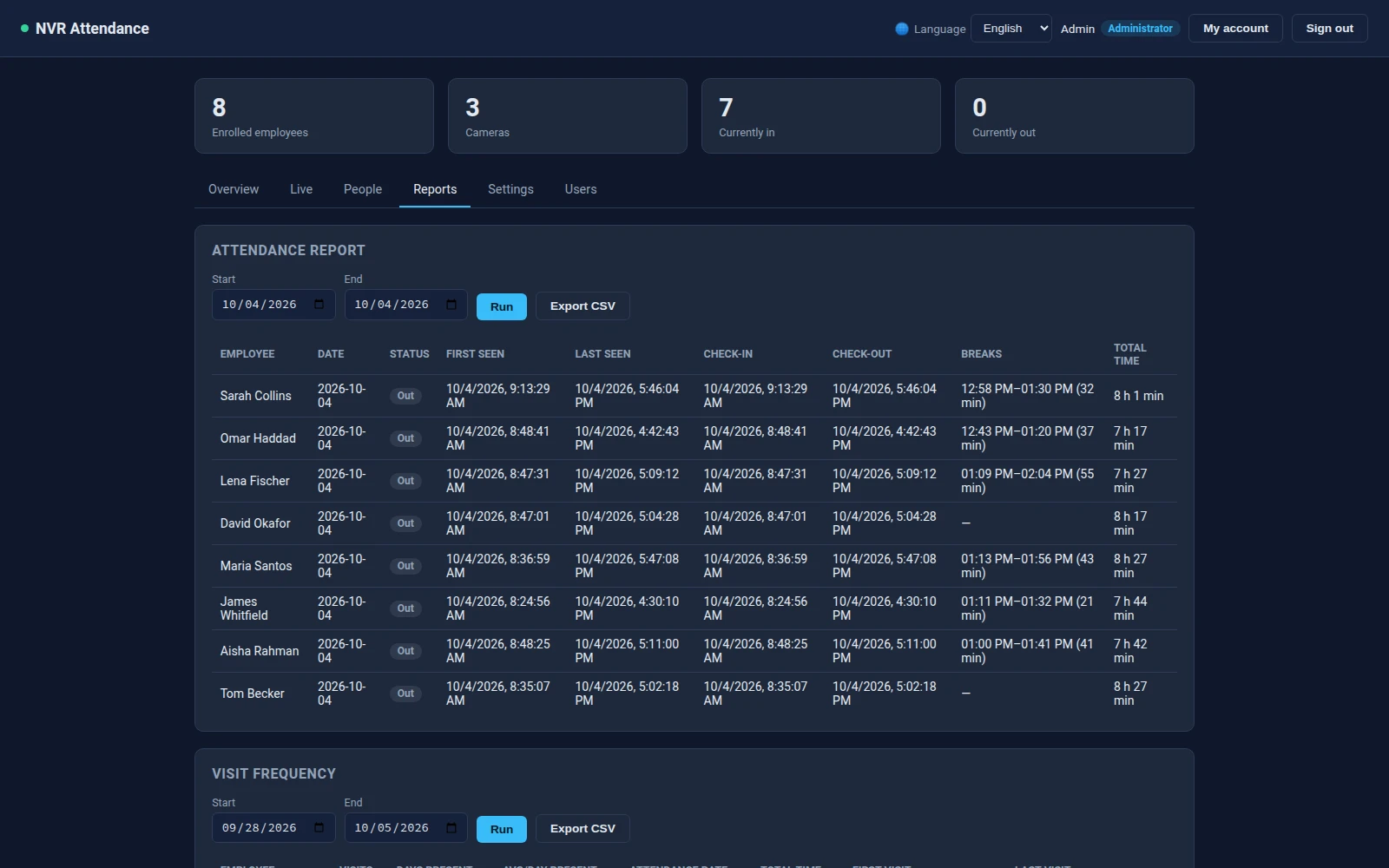
- Attendance report for any date range: first and last seen, check-in, check-out, each break with its length, and total time per person per day.
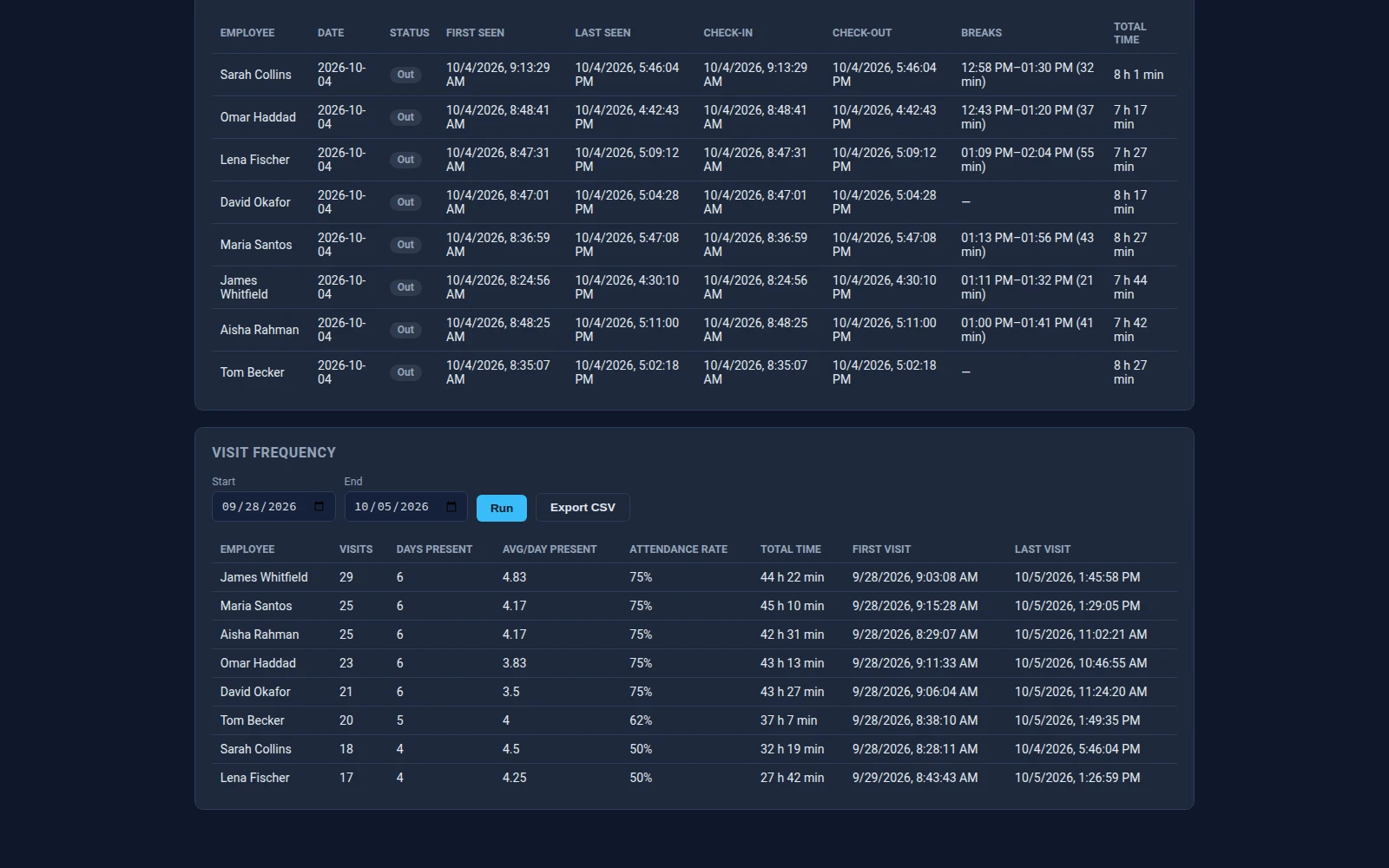
- Visit frequency: sightings, days present, attendance rate and total time per person over a range.
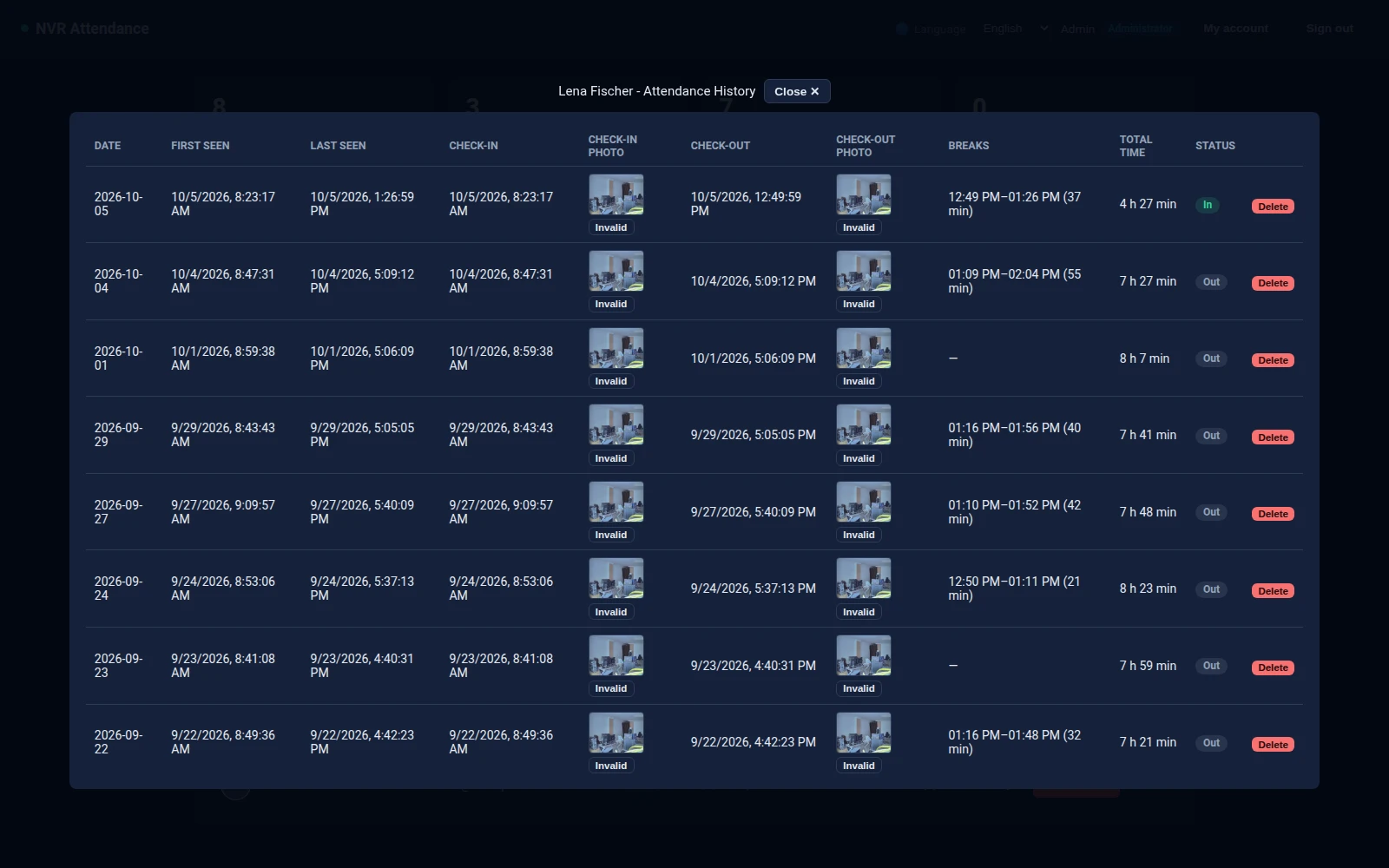
- A history per person covering the last 90 days, with the check-in and check-out photos. Hover a photo to see the full frame.
- Days run midnight to midnight in the site's time zone, set in the dashboard, whatever time zone a viewer's own computer uses. Reports export to CSV.
Face recognition
Built to leave a face unknown rather than name the wrong person.
- Faces are found with OpenCV's YuNet detector and recognised with SFace. Both are free downloads, and the README links them. ArcFace is also supported: it is more accurate on small, turned and infrared faces, but its weights are licensed for non-commercial use, so you download it yourself if your use fits that licence.
- A face is matched only when it is large enough in the frame and facing the camera, judged from the eyes and nose. A side-on face matches other people's side-on faces, so it is shown but never named.
- The nearest enrolled person must be clearly closer than the next-best person, and the same match must repeat on the same camera within a few seconds before it counts. One lucky frame cannot check someone in.
- Every unmatched face says why: too far away, not facing the camera, between two people, or not enrolled.
- Marking a check-in or check-out photo Invalid removes that sighting, recalculates the day, and remembers the face as “not this person”, so a lookalike, a poster or a pattern on a wall is not named again.
People and cameras
Set up from the dashboard, without editing files.
Enrolment
- Enrol from an uploaded photo, or straight from a face the cameras just saw. Pick the person from a list to add another photo of someone already enrolled.
- Several photos per person, from different cameras and lighting, make recognition much more reliable. Photos with no usable face, or a face too small or turned away, are refused, and so is a duplicate of a photo already enrolled.
Cameras
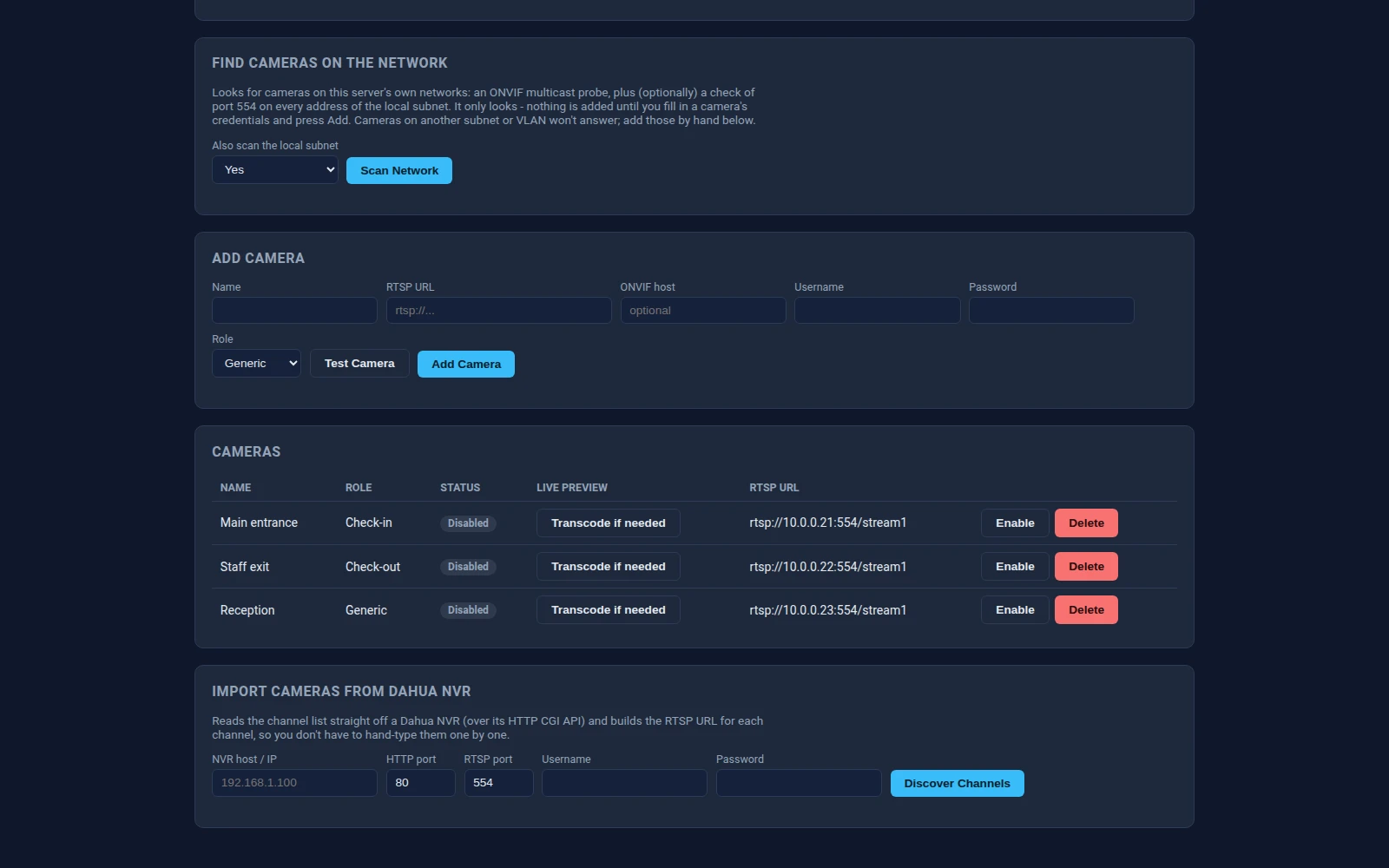
- Add a camera by RTSP URL, or by its ONVIF address and login. Test a camera before saving it: it pulls a frame, or says whether the port, the login or the stream path is wrong.
- Scan the network for cameras (ONVIF discovery plus an RTSP port check of the local subnet), or import every channel of a Dahua NVR.
- A live view of each camera in the browser, transcoding only when a camera's codec needs it, and a live feed of the faces being detected.
Dashboard, access and FreePBX
- Web dashboard in English, Arabic, German and French, with right-to-left layout for Arabic. Each user's language follows them to other browsers.
- Administrator and viewer logins: viewers see attendance and reports, administrators also manage people, cameras, settings and users.
- The FreePBX module shows the dashboard, live monitor, people, attendance report and visit frequency inside the FreePBX admin panel, connecting to the server with an API key.
- A documented REST API for attendance, people and cameras, if you want to feed another system.
What you receive
- The server app (Python; Linux with Python 3.10 or later) and the FreePBX module (FreePBX 14 or later), as two downloads in your account once payment is confirmed.
- No face models are included in the download; the README lists the free YuNet and SFace files and the commands to fetch them. The optional person and vehicle boxes in the live view need a YOLOv8n model, which you add yourself under its own licence. Face recognition and attendance work without it.
- One licence per server running NVR Attendance, however many cameras and people it handles.
Details
- Product type
- Self-hosted server app (Python, web dashboard) plus an optional FreePBX module
- Access control
- Dashboard logins with admin and viewer roles; API key for the FreePBX module
- Licence
- One-time fee per server running NVR Attendance
- Delivery
- Server app and FreePBX module to download from your account once payment is confirmed
- Requirements
- Linux with Python 3.10+; IP cameras or an NVR with RTSP or ONVIF; FreePBX 14 or later only for the optional module
- Includes
- Server app, web dashboard (English, Arabic, German, French), FreePBX module; face models are free downloads, see the README
- Face recognition
- YuNet face detection with SFace (included settings); ArcFace supported if you obtain its weights
- Attendance modes
- Check-in and check-out cameras, or first and last sighting on any camera; breaks and worked time per day
- Cameras
- RTSP/RTSPS, ONVIF discovery, Dahua NVR channel discovery, live view in the browser
- SKU
- NVR-ATTENDANCE