Software licence · VoIP & Telephony
Dialplan Map
See your FreePBX call flow, edit it, and test-call it live
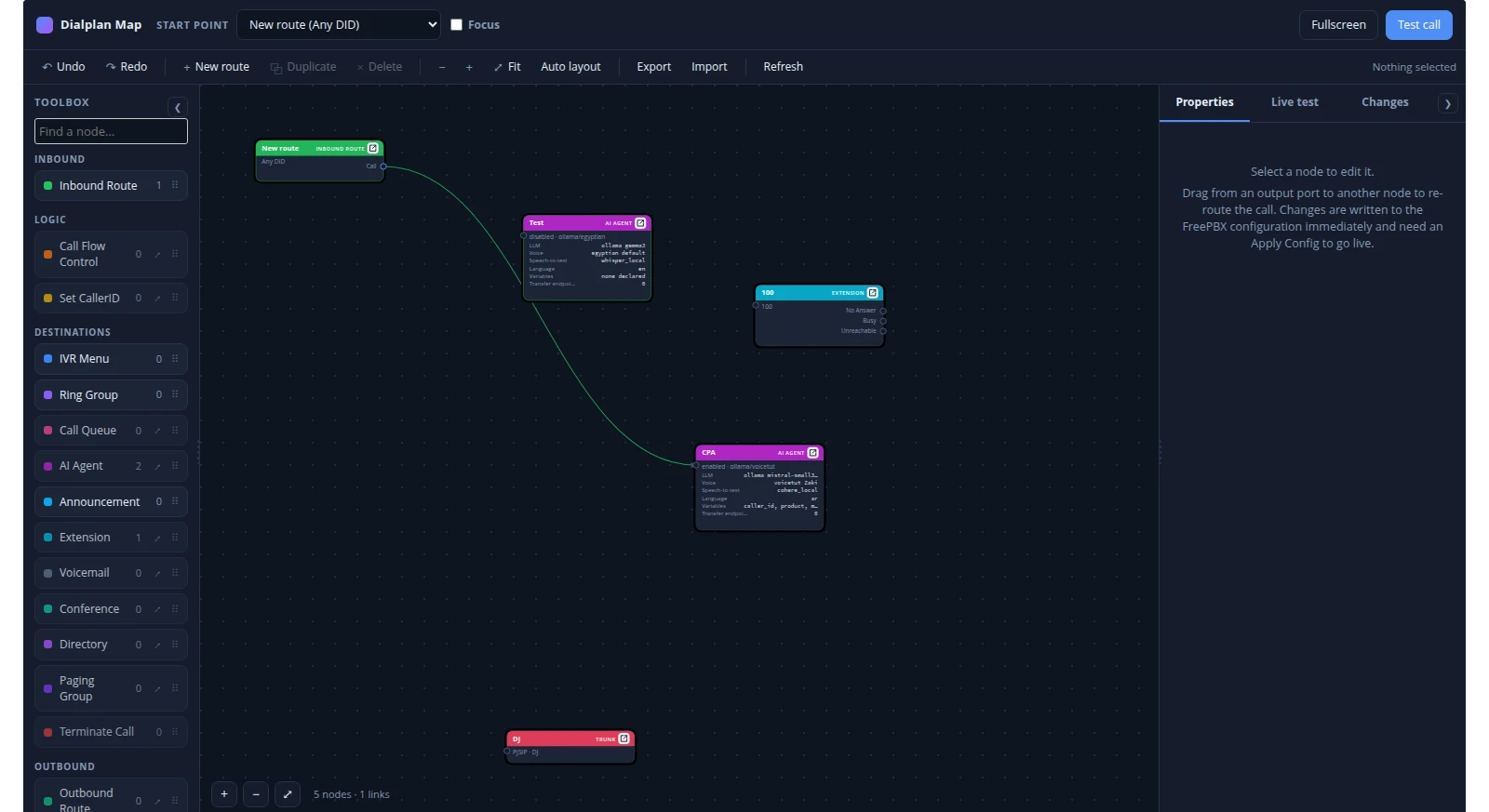
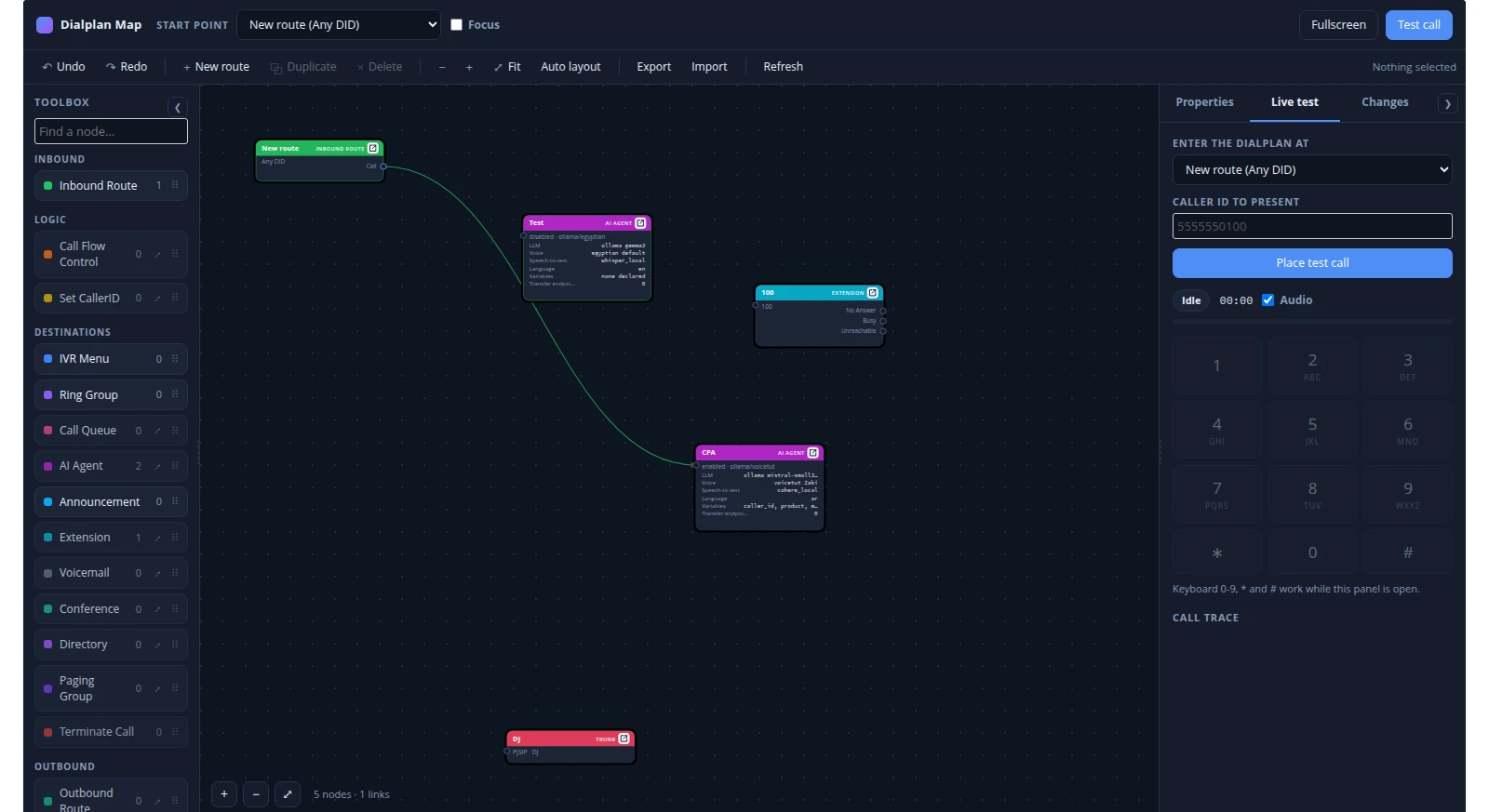
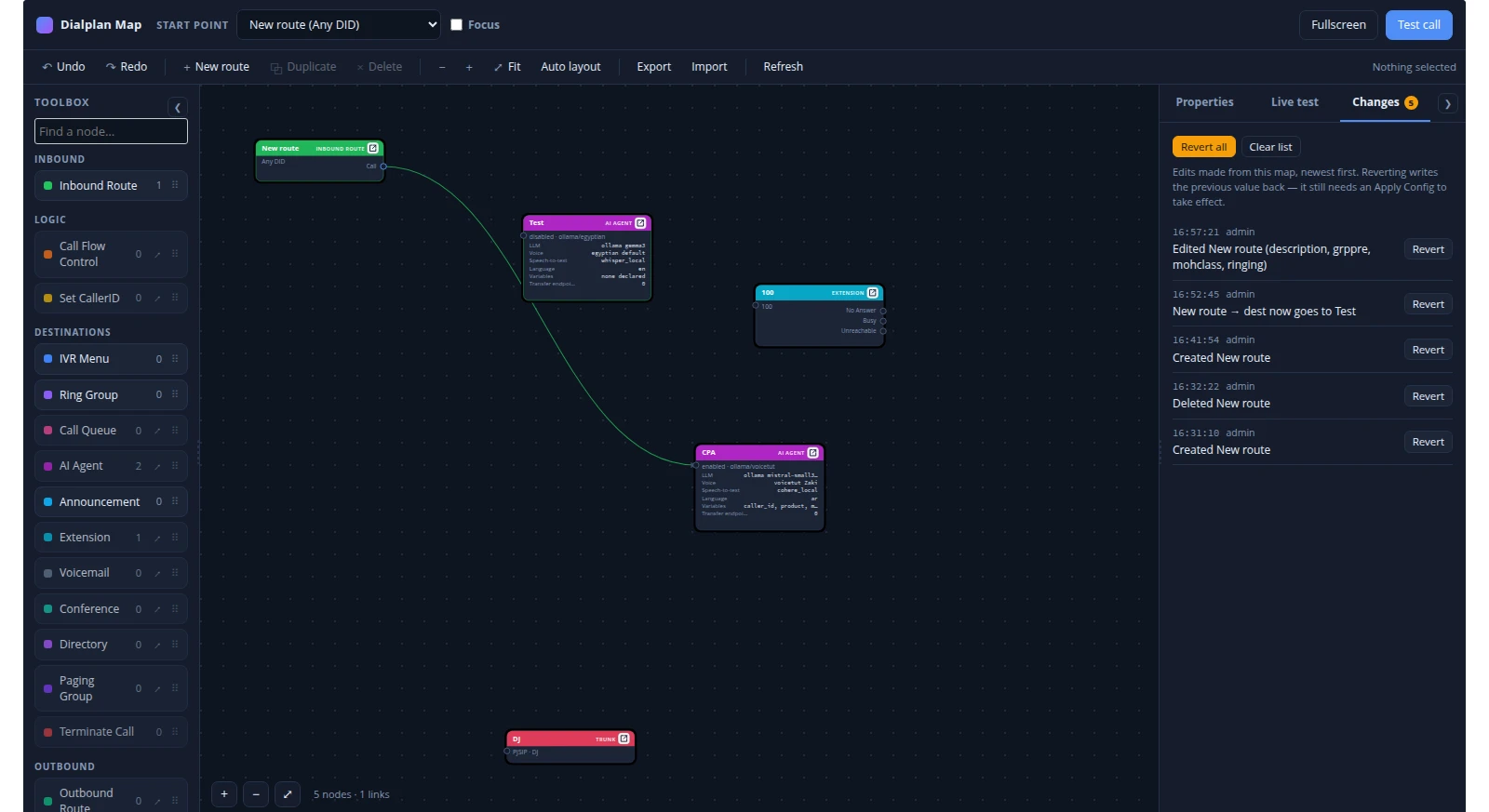
A FreePBX 17 module that maps your whole call flow as an interactive diagram, lets you re-route it in place, and test-calls any node with live audio and tracing.
Dialplan Map is a FreePBX 17 admin module that draws the whole call flow of a running system as a single interactive map, lets you re-route it in place, and lets you walk it with a real test call – soft dialpad, live audio, and the caller's position lit up on the map as it moves.
The page is a three-pane workspace: a toolbox of node types on the left, the map canvas in the middle, and a panel on the right that switches between node properties and the live-test dialpad. Nodes and links are read from the FreePBX tables on every page load, not from a saved diagram, so the map cannot drift from what the switch is actually doing.
- The real configuration, not a drawingInbound routes, time conditions, call flow controls, IVRs, ring groups, queues, extensions, voicemail, announcements, conferences, outbound routes and trunks – all read live from the database.
- Edit in placeDrag a branch from one node to another and the destination is written to the same table column the owning module writes. Names, members, timers and dial patterns edit inline.
- Walk it with a real callOriginate an actual call into any node, inject DTMF from a dialpad, hear what the caller hears, and watch the route light up hop by hop.
- Everything it changed, journalledEvery edit is logged and can be reverted one at a time or all at once, replayed through the same write path as the original edit.
- Nothing extra to runNo WebRTC, no certificates, no media relay, no extra daemon – just the module and the Asterisk Manager account FreePBX already has.
The map
One picture of the entire call flow, built fresh on every load.
- Every destination type FreePBX routes to is drawn as a node with its outgoing branches as ports; anything the module does not recognise is still shown as an unmapped destination carrying the raw string, so a third-party branch never silently disappears.
- Queue nodes carry their full configuration on the node face – agents, strategy, ring and retry timers, wrap-up, max wait, announcements and music class – so the part of a flow that most often explains a complaint reads straight off the map.
- Dialplan problems are detected on every load: dead ends, destinations that no longer exist, menus with no options and flows that loop are flagged, and the objects at fault blink behind a notice that walks you through them.
- When the AI Agent module is installed, each agent appears as a node, with one port per “Transfer call” step in its workflow wired to the real destination, plus its LLM, voice and speech-to-text providers on the face.
- Both side panels dock to a rail or resize by dragging their border; widths and collapsed state persist per browser.
Editing the live switch
Re-route the PBX from the map, and keep a record of every change.
In-place editing
- Drag from an output port to another node, or pick a target in the properties panel, to re-point a branch. Connections are clickable: select one to re-point or remove it; hover one for a delete control at its midpoint and a grab handle to re-aim it.
- Node properties – names, ring strategy, ring group members, timeouts, recordings, dial patterns – edit inline. Database-defined objects (inbound routes, IVRs, ring groups, announcements, time conditions, misc and custom destinations) can be created and deleted from the map too.
- Extensions, queues and conferences deliberately cannot be created here: they need generated config only their own module produces correctly, so the panel links out instead of half-building a broken object.
- Anything the map does not edit is one click away – a corner button opens that object's own FreePBX page in an overlay, so the map, the layout and any call in progress stay put behind it.
- Every write flags the configuration for reload; the Apply Config button in the toolbar runs it. Undo and redo are on Ctrl+Z and Ctrl+Y; the map can be exported to a file and imported back.
Change journal
- Because edits go straight into the FreePBX tables, the Changes tab is the only record of what a branch used to point at. It journals every edit and can revert any one, or all of them.
- What is stored is the module command that undoes an edit, so a revert replays through the same, already-tested write path rather than a second, buggier implementation.
- An edit whose inverse cannot be expressed that way is listed as cannot revert rather than offering an undo that would quietly clear it.
Announcement audio
- The panel that picks an announcement's recording also lets you play it in the browser, upload a replacement, delete it, or record a new one – over the phone (it calls an extension; you speak after the beep and press #) or from this computer's microphone with a live level meter.
- A prompt can also be written: given an ElevenLabs API key stored on the PBX, the panel speaks the text in a voice from your account and stores it as the recording's audio.
- Whatever route the audio arrived by, the RIFF header is read and anything that is not 8 kHz mono 16-bit PCM is called out – rather than discovered as silence on a live call.
The live test call
Pick a start point, place a real call, and watch it move through the flow.
Drive the call
- Choose any inbound route, or jump straight to any node, press Place test call, and the module originates an actual call into the dialplan.
- A dialpad (and keyboard 0–9, *, #) injects DTMF into the call, which an IVR hears exactly as it would hear a caller.
- Live audio of what the caller hears is streamed into the browser while the call is still up.
Read the route back
- The current node is highlighted and panned into view, with the branch just taken animated, and the whole route drawn as it happens – a numbered badge on every node reached and a trail along the connections used.
- A timeline under the canvas carries one chip per hop, stamped with how far into the call it happened; clicking a chip parks the map there, and it survives the hangup.
- A full call trace lists every dialplan step, playback, dial attempt and hangup, with the channel variables known at each step on hover. Coverage marking accumulates across calls, so you can see which branches have never been walked.
Installing and requirements
A standard FreePBX module file, installed from your account's download.
- Delivered as a FreePBX module file you download from your account after payment; unpack it as
dialplanmap/under the modules directory and runfwconsole ma install dialplanmap, thenfwconsole reload. Open it at Reports → Dialplan Map. - Requires FreePBX 17 (also supported on 15 and 16), Asterisk 13 or newer.
- The Asterisk Manager account FreePBX uses needs
readaccess to thecallanddialplanevent classes – the stock account already has it. The web user must be able toshell_execPHP, which starts the per-call event listener. soxis optional and only used to resample uploaded announcement audio; without it, uploads are limited to WAV files.
How licensing works
The price is a one-time fee per server: one licence covers one FreePBX server that Dialplan Map is installed on, with no recurring charge. Once your payment is confirmed we email your licence together with the module download and installation instructions, which are also available from your account. Screenshots on this page show the module running against a demonstration configuration.
Details
- Product type
- FreePBX 17 admin module (self-hosted; also runs on FreePBX 15 and 16)
- Licence
- One-time fee per FreePBX server
- Delivery
- Module file to download from your account once payment is confirmed
- Requirements
- FreePBX 17, Asterisk 13+; the stock Asterisk Manager account; sox optional for non-WAV audio uploads
- Includes
- Live call-flow map, in-place routing editor, change journal with revert, announcement audio tools, and an in-browser test caller with dialpad, live audio and route tracing
- Covers
- Inbound routes, time conditions, call flow controls, IVRs, ring groups, queues, extensions, voicemail, announcements, conferences, misc/custom destinations, outbound routes and trunks
- SKU
- FPBX-DIALPLANMAP